How to play
Choose the difficulty and mode before starting. Standard excludes repeated letters and J, Q, X and Z. Standard+ removes the letter restriction but still excludes repeats, while Advanced allows repeated letters as well.
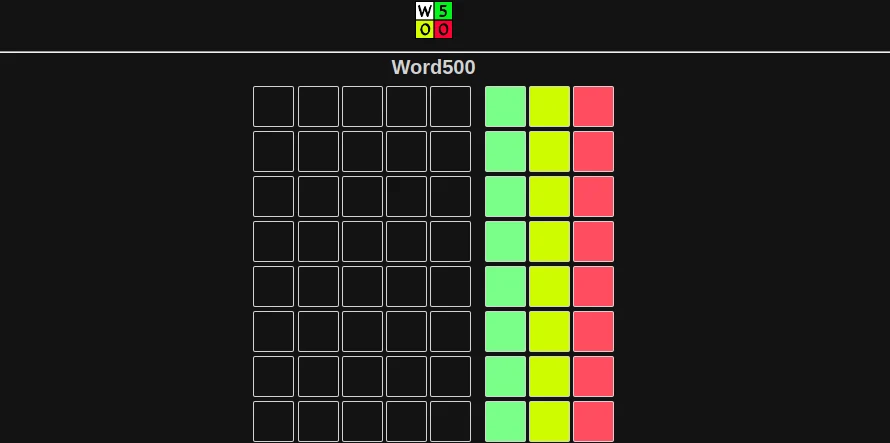
Enter a five-letter guess using the visible letter keys and submit with the checkmark. The board records the word and a green, yellow and red count beside it. You have eight rows in which to identify the answer.
Interpret green as the number of correctly positioned letters and yellow as letters present in another position. Red counts the letters not used. These are totals, so a green count of one does not tell you which position is correct.
Use later guesses to test competing explanations for earlier counts. Keep the selected difficulty in mind, especially when considering repeated letters. Daily puzzles and practice are separate options in the game-mode menu.
What makes this game different
A familiar five-letter layout can hide a different deduction problem. Unlike a board that colours each guessed letter, Word500 leaves you to assign its counts to possible letters and positions. One result can fit several explanations, so a useful next guess should separate those possibilities rather than repeat the same uncertainty.
A better way into your next round
Write down two or three plausible explanations before changing every letter. If a guess has two present letters in total, a second guess retaining only part of that set can help isolate them. Check that your test word is valid for the chosen difficulty before relying on its result.
Keep position tests separate from letter tests when possible. Reusing a likely letter in a different position may clarify a yellow count, but changing all the other letters at the same time makes the conclusion harder to isolate. Recheck earlier rows whenever a new result appears to contradict your theory.
Where to play
The daily game runs in a browser and includes an on-screen keyboard for mouse or touch entry. Use the checkmark to submit and the delete controls to edit. You can also type with a physical keyboard after focusing the game and press Enter to submit. The publisher also displays advertising and its own privacy controls.